Character creation
Chibi Character Design: Proportions, Shapes, and Details
By SnapTo3D · Published · Updated
A strong chibi design keeps a few recognizable features while simplifying the rest. Start with proportions and silhouette, then choose the hairstyle, outfit shapes and colors that should remain clear at the size where the character will be used.
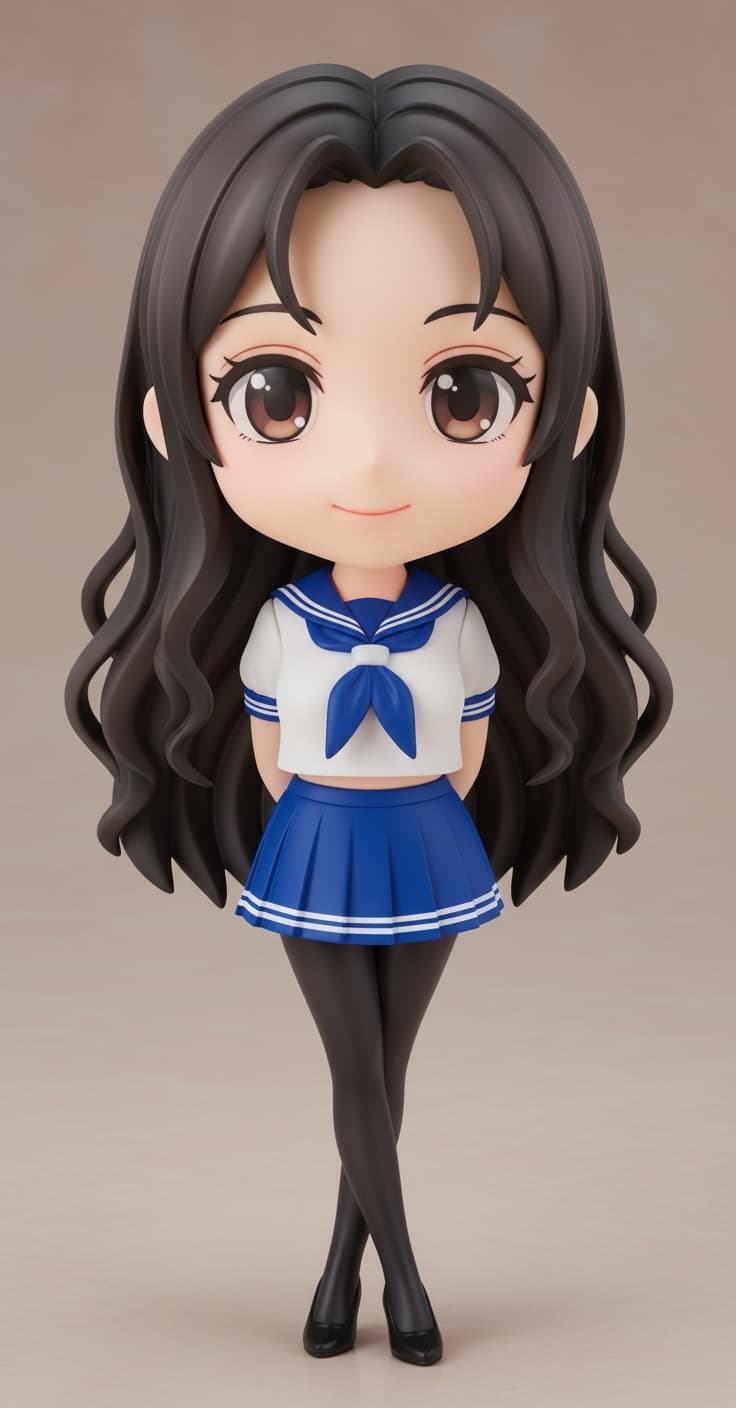
Choose the use before the proportions
A full-body collectible and a tiny profile picture ask different things of a design. For a figurine, the outfit and stance contribute to recognition. For an avatar, the face and hair must work even when the body is cropped away. Write down the intended use before adding details.
For a personal character, make a short identity list: for example, a side part, round glasses and a blue jacket. That is a design brief, not a guarantee that a generator will reproduce all three accurately.
Set a consistent proportion treatment
Chibi typically combines an enlarged head with a shortened body. There is no mandatory ratio. Think about how much room the outfit needs and how compact you want the result to feel. CLIP STUDIO PAINT’s linked drawing guide explains several proportion choices; these are artistic options rather than required measurements.
SnapTo3D’s Chibi preset selects a style, not a precision head-to-body ratio control. If exact measurements are essential, plan for manual editing in a suitable external modeling application.
Check the silhouette before tiny details
This is a useful review exercise for your reference and the eventual model. It does not require changing the subject’s natural appearance or making the uploaded photo unrealistic.
- View the character small enough that fine patterns disappear.
- Check that the hairstyle and head outline remain readable.
- Keep the arms, torso and accessories distinguishable rather than overlapping into one shape.
- Choose one dominant accessory instead of several equally prominent ones.
Decide what to simplify
Preserve details that identify the person, but do not make recognition depend on a tiny logo, a necklace chain or shirt text. Large color areas and clear clothing boundaries are easier to judge in a small preview.
A plain reference background can also make it easier to see where the character ends. If dark hair disappears into a dark background, choose another authorized photo rather than expecting stylization to recover a missing outline.
Translate the idea into a usable 3D reference
For the photo-based workflow, use a clear image of one person with visible facial features and the important parts of the outfit. Select Chibi, review the current credit requirement and inspect the result from multiple angles. The back of the model is inferred when the photo does not show it.
A rendered clothing pattern may exist only in the texture. If you intend to print the character, inspect actual geometry and ask the production workflow how color and small details are handled.
Review the result against the brief
Compare the generated character with your original identity list. Decide whether the important features survived before judging decorative details. If you regenerate, check the credit cost and improve the source evidence where possible.
For action generation, the current homepage offers Japanese-style workflows. A design that looks suitable for motion is not proof that a Chibi generation includes a rig or the same actions.
Frequently asked questions
Is there a correct number of heads for a chibi character?
There is no single compulsory proportion. Choose a consistent treatment that leaves enough room for the features important to your intended use.
Does this guide provide a drawing or mesh-editing tool?
No. It is a design checklist. SnapTo3D’s public generator starts with a personal photo; detailed manual drawing or mesh editing requires another tool.